
In this post I provide a brief introduction to the Concise Binary Object Representation (CBOR) format, discuss when and why you might want to use it, and then how to use the System.Formats.Cbor package in .NET.
Background: data serialization and JSON
Concise Binary Object Representation (CBOR) is a serialization format for data, so it takes structured data, and describes the series of bytes that represent that data. These bytes can be sent over the network or saved in a file (for example), and can then be deserialized to reconstruct a representation of the original data.
One of the most common serialization formats these days, which essentially every developer will have used at one time or another, is the JavaScript Object Notation (JSON) format, which uses a subset of JavaScript, for example:
{
  "name": "Goose",
  "breed": "Labrador",
  "age": 8,
  "toys": ["ducky", "flamingo", "ice-cream"],
  "owner": {
    "name": "Sock"
  }
}
The JSON format has a number of desirable characteristics as a serialization format, for example:
- JSON is essentially plain-text (UTF-8), so it's human readable, which makes debugging network requests etc simple.
- It has a self-describing schema, so you can write a "generic" decoder about it, and don't need to know "field 3" is "age" ahead of time for example.
The debuggability of having a text format is not to be overlooked, but it can also be much less efficient if the data you're transferring is not text. Take a simple boolean value for example. In JSON, this is encoded as true/false which takes 4 or 5 bytes, to represent 1 bit of data 0/1. This also makes decoding the JSON more expensive than a simple binary format would.
Additionally, JSON doesn't have a binary type, so if you want to send pure binary data, you typically encode the data as a base64 string, increasing the size of the data by approximately 33% (Base64 turns every 3 bytes of binary data into 4 bytes/characters). As well as increasing the data size, this also adds complexity on the decoder side.
CBOR attempts to address both of these shortcomings directly.
What is Compact Binary Object Notation (CBOR)?
Compact Binary Object Notation (CBOR) is an IETF standard that has some clear goals:
- It encodes the same data formats as JSON, with additional native support for binary data.
- The code for the encoder and decoder should be as simple as possible.
- Should give a smaller data size than JSON
- Should be self-describing (i.e. like JSON, XML, and MessagePack, and unlike Protobuf)
The target audience for CBOR was initially Internet-of-Things (IoT) scenarios, i.e. resource-constrained environments, that need to send and process a lot of data. The constraints about clearly make sense when considering those scenarios, though it clearly has benefits in many other cases too.
Given that CBOR can represent all the same types as JSON (and more), we can re-write the JSON I showed in the previous section as CBOR:
A5646E616D6565476F6F7365656272656564684C61627261646F72
636167650864746F797383656475636B7968666C616D696E676F69
6963652D637265616D656F776E6572A1646E616D6564536F636B
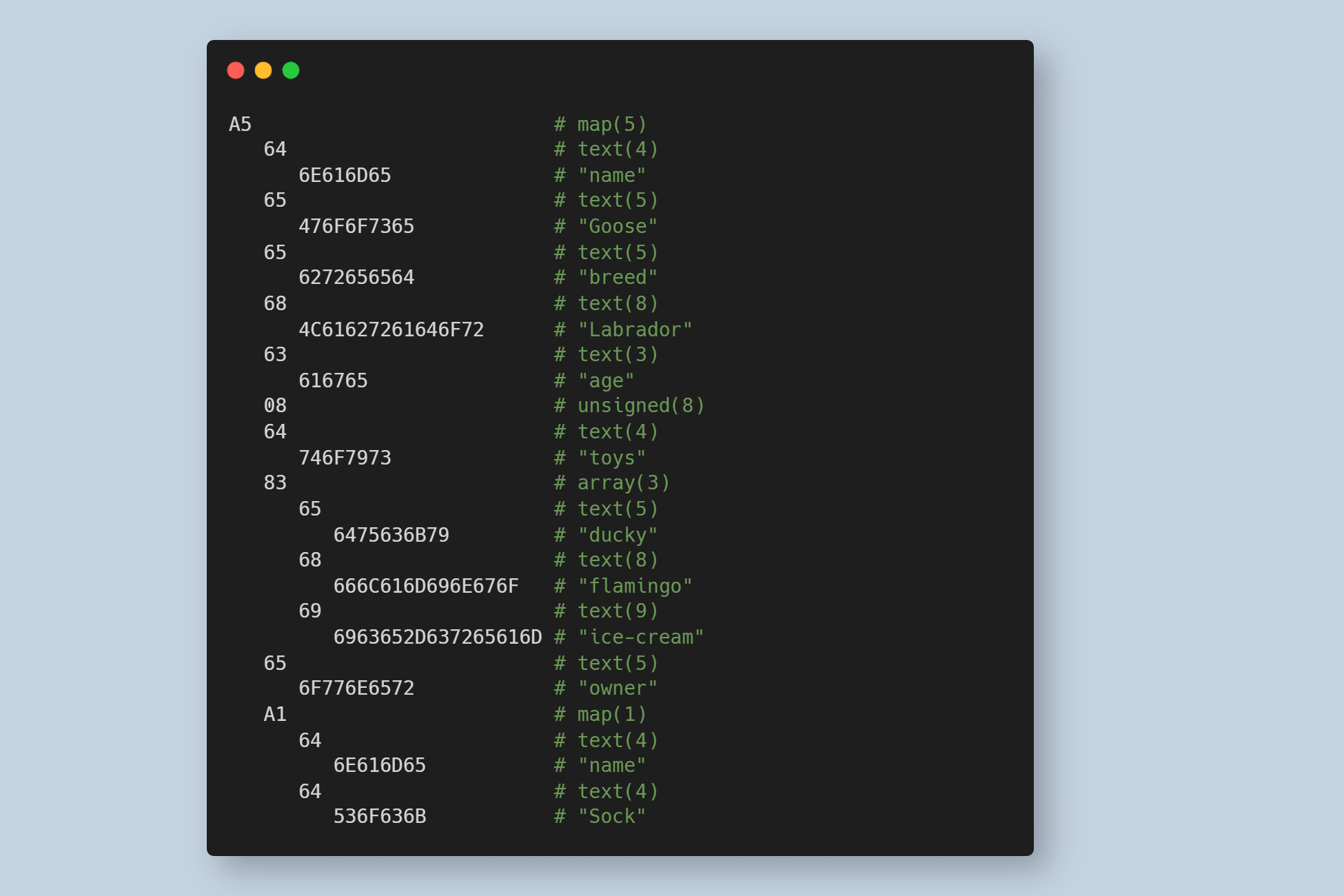
This is the actual format that you would serialize and deserialize to on the wire, but it's obviously not very easy to read. Consequently, CBOR also has a Concise Diagnostic Notation form (which looks a lot like JSON), but you'll more often see the hex-encoding form written with additional commentary:
A5                          # map(5)
   64                       # text(4)
      6E616D65              # "name"
   65                       # text(5)
      476F6F7365            # "Goose"
   65                       # text(5)
      6272656564            # "breed"
   68                       # text(8)
      4C61627261646F72      # "Labrador"
   63                       # text(3)
      616765                # "age"
   08                       # unsigned(8)
   64                       # text(4)
      746F7973              # "toys"
   83                       # array(3)
      65                    # text(5)
         6475636B79         # "ducky"
      68                    # text(8)
         666C616D696E676F   # "flamingo"
      69                    # text(9)
         6963652D637265616D # "ice-cream"
   65                       # text(5)
      6F776E6572            # "owner"
   A1                       # map(1)
      64                    # text(4)
         6E616D65           # "name"
      64                    # text(4)
         536F636B           # "Sock"
If you take a little time to study the above code, you'll see that each item in the CBOR document consists of a "header" byte and potentially a "body" of multiple additional bytes. The header describes the type of the item, and for simple types may include the data too (e.g. small unsigned integers: 08). Maps (A5/A1 above) and Arrays (83 above) include the size of the array in the header, and then each item in the collection has another header. CBOR also supports indefinite length strings, maps, and arrays, which can be used for streaming scenarios when the length of the data is not known prior to sending.
The size of the CBOR payload compared to an equivalent JSON payload varies significantly depending on the data being sent. For example, small numbers, booleans, and binary data can be sent efficiently in CBOR compared to JSON, but text size is roughly equivalent (as in bother cases it is UTF-8 encoded).
One advantage CBOR has over JSON for text encoding is of including the size of the text in bytes up-front. This can potentially allow decoders to be more efficient as they may be able to pre-allocation a buffer of the correct size up-front. It also means that escape sequences are not needed for UTF-8 text in CBOR (as the decoder knows the number of bytes in the field).
How does CBOR compare to Protobuf and Message Pack?
While reading about CBOR, two main other formats came to my mind: protobuf and MessagePack.
Protocol Buffers (Protobuf) originated at Google, and is the main intercange format used by gRPC. It is also a binary protocol, but rather than being schema-less, like JSON or CBOR, it depends on pre-shared .proto files, that describe the format of each method. Using these files, protobuf is able to be both very high performance, and to produce very small payloads.
However, the coupling to these schema files is both a blessing and a curse. They allow highly efficient formats and encoders, but this also means schema management is necessary, with both sides sharing the schema, adding an inherent coupling between producer and consumer. This is feasible in controlled environments, but can be more challenging for wider adoption, and so is less flexible than the self-describing CBOR format.
CBOR is also an IETF standard, whereas Protobuf relies on a "de-facto- standard, if that matters to you.
MessagePack is, in many ways, solving the same problems as CBOR. It is intended to be a fast, binary, alternative to JSON, that has the same types, but with support for additional types like binary data. Unlike CBOR, it doesn't have a formal standard, but it is very similar in many ways.
Other than standardisation, the main difference between CBOR and MessagePack (other than standardisation) seems to be that CBOR supports streaming. In many ways, CBOR is an "official" endorsement of the MessagePack approach, having being created over a decade later than MessagePack was introduced!
Using CBOR in .NET 10
In .NET 10, released in November 2025, official support for encoding and decoding CBOR was added by way of the System.Formats.Cbor NuGet package. As well as .NET 10, the package also supports .NET Framework and .NET Standard 2.0, so you can use it in all your .NET applications.
To install, the package run:
dotnet add package System.Formats.Cbor
The two main entry types in System.Formats.Cbor are:
CborWriter: Writes data into a buffer un the CBOR format.CborReader: Reads CBOR encoded binary data from a byte array.
These are very "low level" types compared to what you might be used to when working with JSON in .NET, whether that's using Newtonsoft.JSON or System.Text.Json. There's no automatic conversion to or from strongly-typed objects in System.Formats.Cbor; instead you can read and write primitive values only.
Writing CBOR using CborWriter
The following shows an example of encoding the same "JSON" structure from the start of the post using CborWriter, writing each key-value pair value, and finally encoding it into a stack-allocated Span<byte>.
using System.Formats.Cbor;

// Create a CborWriter to encode data
var writer = new CborWriter();

// We have to say the length of the map up-front
writer.WriteStartMap(5);

// "name": "Goose",
writer.WriteTextString("name");
writer.WriteTextString("Goose");

// "breed": "Labrador",
writer.WriteTextString("breed");
writer.WriteTextString("Labrador");

// "age": 8,
writer.WriteTextString("age");
writer.WriteUInt32(8);

// "toys": ["ducky", "flamingo", "ice-cream"],
writer.WriteTextString("toys");
writer.WriteStartArray(3);       // We are writing an array of 3 items
writer.WriteTextString("ducky");
writer.WriteTextString("flamingo");
writer.WriteTextString("ice-cream");
writer.WriteEndArray();

// "owner": { "name": "Sock" }
writer.WriteTextString("owner");
writer.WriteStartMap(1);        // We are writing a map that contains a single item
writer.WriteTextString("name");
writer.WriteTextString("Sock");
writer.WriteEndMap();

writer.WriteEndMap();

// Encode to a byte array
// Encode to a byte array
Span<byte> encodedBytes = stackalloc byte[512];

int bytesWritten = writer.Encode(encodedBytes);
encodedBytes = encodedBytes[..bytesWritten];

Console.WriteLine($"Hex representation: {Convert.ToHexString(encodedBytes)}");
There's a few points of interest in this code:
- You should specify the size of the array/map up-front if you know it. If you don't, it's created as an indefinite-length array.
- "Key" values in a map can be any type, although in this case they are only strings.
- When you write an entry, the
CborWriterwrites to an internal buffer. You get the "final" value by callingEncode()orTryEncode(), and either passing-in an output buffer, or the method returns abyte[]. - The
CborWriterwill throw an exception if you try to generate an invalid document e.g. by callingWriteEndMap()when one is not expected, or by callingEncode()with a partial document.
When we run the above code, we get the same hex representation that we saw earlier:
Hex representation: A5646E616D6565476F6F7365656272656564684C
61627261646F72636167650864746F797383656475636B7968666C616D69
6E676F696963652D637265616D656F776E6572A1646E616D6564536F636B
The CborWriter also takes an CborWriterOptions for controlling the behaviour of the writer:
public sealed class CborWriterOptions
{
  // Gets or sets the conformance mode used when writing CBOR data.
  public CborConformanceMode ConformanceMode { get; set; }

  // Gets or sets a value that indicates whether the writer automatically converts
  // indefinite-length encodings into definite-length equivalents.
  public bool ConvertIndefiniteLengthEncodings { get; set; }

  // Gets or sets a value that indicates whether multiple root-level CBOR data items are permitted.
  public bool AllowMultipleRootLevelValues { get; set; }

  // Gets or sets the maximum depth allowed when writing CBOR data, with the default (-1)
  // indicating a runtime-chosen maximum depth.
  public int MaxDepth { get; set; }

  ///  Gets or sets the initial capacity, in bytes, of the buffer used when writing CBOR data.
  public int InitialCapacity { get; set; }
}
These are relatively self-explanatory, although the ConformanceMode property is particularly interesting, as it controls a number of additional values. Looking at the enum, we can get a
public enum CborConformanceMode
{
  // Ensures that the CBOR data is well-formed, as specified in RFC7049.
  Lax,

  // Ensures that the CBOR data adheres to strict mode, as specified in RFC7049 section 3.10.
  // Extends lax conformance with the following requirements:
  // • Maps (major type 5) must not contain duplicate keys.
  // • Simple values (major type 7) must be encoded as small a possible and exclude the reserved values 24-31.
  // • UTF-8 string encodings must be valid.
  Strict,

  // Ensures that the CBOR data is canonical, as specified in RFC7049 section 3.9.
  // Extends strict conformance with the following requirements:
  // • Integers must be encoded as small as possible.
  // • Maps (major type 5) must contain keys sorted by encoding.
  // • Indefinite-length items must be made into definite-length items.
  Canonical,

  // Ensures that the CBOR data is canonical, as specified by the CTAP v2.0 standard, section 6.
  // Extends strict conformance with the following requirements:
  // • Maps (major type 5) must contain keys sorted by encoding.
  // • Indefinite-length items must be made into definite-length items.
  // • Integers must be encoded as small as possible.
  // • The representations of any floating-point values are not changed.
  // • CBOR tags (major type 6) are not permitted.
  Ctap2Canonical,
}
For example, if we instead create a CborWriter using CborConformanceMode.Canonical (using one of the helper constructor overloads):
var writer = new CborWriter(CborConformanceMode.Canonical);
Then the final Cbor output is different:
Hex representation: A56361676508646E616D6565476F6F736564746F
797383656475636B7968666C616D696E676F696963652D637265616D6562
72656564684C61627261646F72656F776E6572A1646E616D6564536F636B
In particular, the properties have now been sorted so the "age" key is encoded first. This can make decoding easier, if you know that the document will always be the "correct" type.
Reading CBOR using CborReader
Now that we have some encoded CBOR, the CborReader can be used to decode it back into .NET types. Due to the design of the reader, there are lots of potential ways for you to write the decoder code, depending on how much control you have of the data, exactly what you want to do with the decoded data, and various other considerations.
The following shows one possible example, in which we accept some flexibility in the data, where we want it to be relatively efficient (so we avoid allocating strings for the map's key value), but ultimately we're just printing the values to the console:
// The CborReader takes the "data to decode" as a `ReadOnlyMemory<byte>`, not a
// `Span<byte>`, so for this example we need to convert the stackallocated array
// from the previous example into a "real" array
var reader = new CborReader(encodedBytes.ToArray());

var mapCount = reader.ReadStartMap();

// Create a stackallocated buffer to hold our known key values
// to avoid allocating a string for each of them
Span<char> buffer = stackalloc char[10];
for (var i = 0; i < mapCount; i++)
{
    // We could also just call `ReadTextString()`, but instead we reuse the
    // Span<char> to avoid reallocating
    if (!reader.TryReadTextString(buffer, out var length))
    {
        throw new Exception("Buffer too small");
    }

    var key = buffer[..length];
    switch (key)
    {
        // Depending on which key we received, the data varies, and we need to
        // call different methods
        case "age":
            Console.WriteLine($"age: {reader.ReadInt32()}");
            break;

        case "name":
            Console.WriteLine($"name: {reader.ReadTextString()}");
            break;

        case "breed":
            Console.WriteLine($"breed: {reader.ReadTextString()}");
            break;

        case "toys":
            Console.WriteLine("toys: ");

            var arrayCount = reader.ReadStartArray();
            for (int item = 0; item < arrayCount; item++)
            {
                Console.WriteLine($"- {reader.ReadTextString()}");
            }
            reader.ReadEndArray();
            break;

        case "owner":
            Console.WriteLine("owner: ");

            var innerMapCount = reader.ReadStartMap();
            for (int item = 0; item < innerMapCount; item++)
            {
                Console.WriteLine($"  {reader.ReadTextString()}: {reader.ReadTextString()}");
            }
            reader.ReadEndMap();
            break;

        default:
            // Unknown case, we don't know _what_ this is. It can't be written by
            // our encoder above, but this provides a degree of forward compatibility
            // by just ignore key values we don't know
            Console.WriteLine($"Unknown key '{key}': {Convert.ToHexString(reader.ReadEncodedValue().Span)}");
            break;
    }
}

reader.ReadEndMap();
As already mentioned, this is clearly much more work than JsonConvert.DeserializeObject<T>, but the key is that this is a low level API. If you want, you could create more general APIs on top of CborReader, though you need to take care when deserializing unknown data. If you fundamentally know what data to expect, and what data is valid, code similar to the above is likely going to be about the most efficient.
When we run the above code, we get console output similar to the following:
name: Goose
breed: Labrador
age: 8
toys:
- ducky
- flamingo
- ice-cream
owner:
  name: Sock
As mentioned, the code above is written based on the expectation that you know roughly what the shape of the data is. I did include a provision for handling "forward compatibility" where an older version of the decoder is decoding a CBOR document that includes fields unknown to the decoder. In this case, we just print the hex representation of the value, skip it, and move on.
For example, if we just remove the whole case "toys" section from our decoder (let's imagine the original version of the encoder and decoder did not include this property) and re-run the decoding, we get something that looks like this:
name: Goose
breed: Labrador
age: 8
Unknown key 'toys': 83656475636B7968666C616D696E676F696963652D637265616D
owner:
  name: Sock
This shows that we're able to advance to the next field in the map and continue, handling data we don't understand. ReadEncodedValue() is a relatively blunt tool, as once you've read the value out, the CborReader skips it entirely, so it's up to you to decide what to do with it.
If you're creating a truly general decoder, or if you want to be decode the value whatever type it is, you can use PeekState() to check what the next CBOR token is without skipping it. e.g.:
CborReaderState state = reader.PeekState();
CborReaderState is just an enum of all the possible value types, so it tells you which Read* method you need to call to get the value, ReadTextString()/ReadInt32() etc. You can then extract all the values in a truly general way.
Should you use CBOR?
All that brings us to the inevitable "should I use this" question? And as always, the answer is "it depends". I've already described the use-cases for CBOR in general (essentially a more compact version of JSON, especially when it comes to encoding binary data, plus the possibility for streaming). In most cases, I would expect that JSON would do equally as well, so I wouldn't expect most people to commonly use it if you're just building APIs for example.
I was interested to see it used in ASP.NET Core, as part of the support for Device Bound Session Credentials (DBSC) introduced in .NET 11. In this code, CborWriter and CborReader are used as a simple binary format, which is then encrypted using the Data Protection System, and finally base64 URL Encoded and embedded in a cookie:
public string GenerateRefreshChallenge(ClaimsPrincipal principal, string sessionId, TimeSpan lifetime)
{
   var claimUid = ComputeClaimUid(principal);
   var writer = new CborWriter(allowMultipleRootLevelValues: true);
   writer.WriteTextString(claimUid);
   writer.WriteTextString(sessionId);
   return WebEncoders.Base64UrlEncode(_refreshProtector.Protect(writer.Encode(), lifetime));
}
The interesting thing about the CborWriter usage here is that it is explicitly not trying to emulate JSON; instead of the top-level being a map of key-values, the CborWriter simply encodes the values as multiple "top level" text values, and generates the output, effectively a binary version of <claimUid><sessionId>. Given this is by-design only readable by the same running application, the terseness here is warranted, and provides an interesting alternative cue as to when you might want to consider using CBOR in your own applications!
Summary
In this post I provided an introduction to the Concise Binary Object Representation (CBOR). I described the goal of CBOR as a serialization format that can encode the same types as JSON (plus additional types), but which encodes to a binary format, so can produce smaller messages. I described the goals of the format, and how it compares to other binary serialization formats like Protobuf and Message Pack.
I then showed how to use the System.Formats.Cbor package in .NET, and how to use it to read and write CBOR encoded data. I showed that the CborWriter and CborReader types are both low-level APIs that don't provide generic serialization or deserialization capabilities. Finally I discussed an example of where the CBOR format is used inside ASP.NET Core today.